We are moving to a new community notifcation system. Please share your contact information with LELWD to make sure you receive important information about the services we provide you. It’s easy, just fill out the form below! Even if you’ve signed up for emergency notification in the past, please do so again to confirm we have your correct contact information.
These customer alerts are only sent as needed and are separate from the community notifications used by the Towns of Littleton and Boxborough. The estimated frequency for these alerts are less than 1 per month.
Types of Notifications:
Emergency alerts for your neighborhood: Sent only to impacted neighborhoods. Electric, water or sewer service maintenance, repairs, construction, or other work that may impact your neighborhood including service outages and traffic detours.
General information: Receive general information about LELWD services, invitations to LELWD-sponsored public events, and the LEWLD customer newsletter.
Public Events: Receive invitations to LELWD-sponsored events such as forums providing information and an opportunity for public feedback on projects and services.
We are excited to announce the launch of our new Service Portal! The new Service Portal provides you with easy and secure access to the most current account information. You can view and review your energy and water usage, check your balance(s), and pay your bill(s).
The new Service Portal uses the latest encryption and hashing algorithms to protect your passwords. For this reason, your old username and password credentials no longer work, and you’ll be asked to register your account again.
Follow these 10 Steps to Register your New Service Portal Account:
1. Click on the ‘Create Account’ link on the login portal page
2. Enter the account number for your account, then click NEXT
3. Select your email address and click NEXT
4. Enter the verification code that was emailed to you and click NEXT
5. Confirm your email address
6. Enter the password and confirm the password. Note: Password must be a minimum of 8 characters and contain at least 1 lowercase character, 1 uppercase character, 1 number, and 1 special character
7. Choose the security question from the drop-down menu and enter the answer to the security question
8. Use the toggle switch to select if you would like to be E-billed
9. Select the I understand that I have authorized LELWD to communicate with me in the above manner check box to continue
10. Click SUBMIT, then the confirmation screen will appear and prompt you to log in.
You must have a valid email on file with us to be able to register your account. Please reach out to our office at either [email protected] or call us at 978- 540-2222 so we can update your email.
It’s possible that you are logging into our old online payment system. Please go to the homepage of our website www.lelwd.com and select “Pay My Bill” in the top right-hand corner. This will direct you to our new customer portal.
YES – for security purposes we did not convert banking information to our new customer portal. You will have to re-enter your banking information after registering your account. Please go to the homepage of our website www.lelwd.com and select “Pay My Bill” in the top right-hand corner. This will direct you to our new customer portal.
Our new customer portal requires everyone to re-register for “E-Billing.” You will be given the option sign up for E-Billing when you register your account on our new customer portal. Once registered, you will have the option to adjust your E-Billing settings by selecting the “My Profile” option in the dropdown menu under your name in the top right corner.
Need help setting up your new Service Portal account?
Please contact us and we will be happy to help walk you through the process.
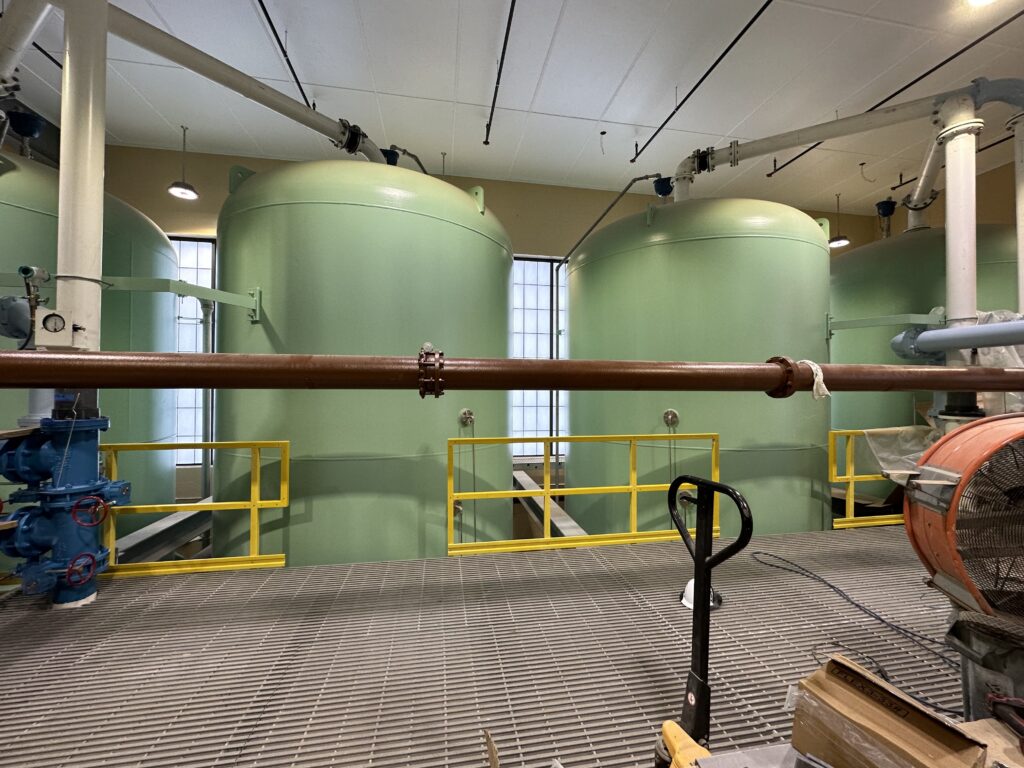
WBUR Radio toured the state-of-the-art water treatment plant on Whitcomb Ave, which is nearing completion, for a report on the cost of removing the PFAS pollutant drinking water.
If you or someone you know is having trouble paying their heating bill this winter, help is available. Here are links to government and nonprofit assistance.